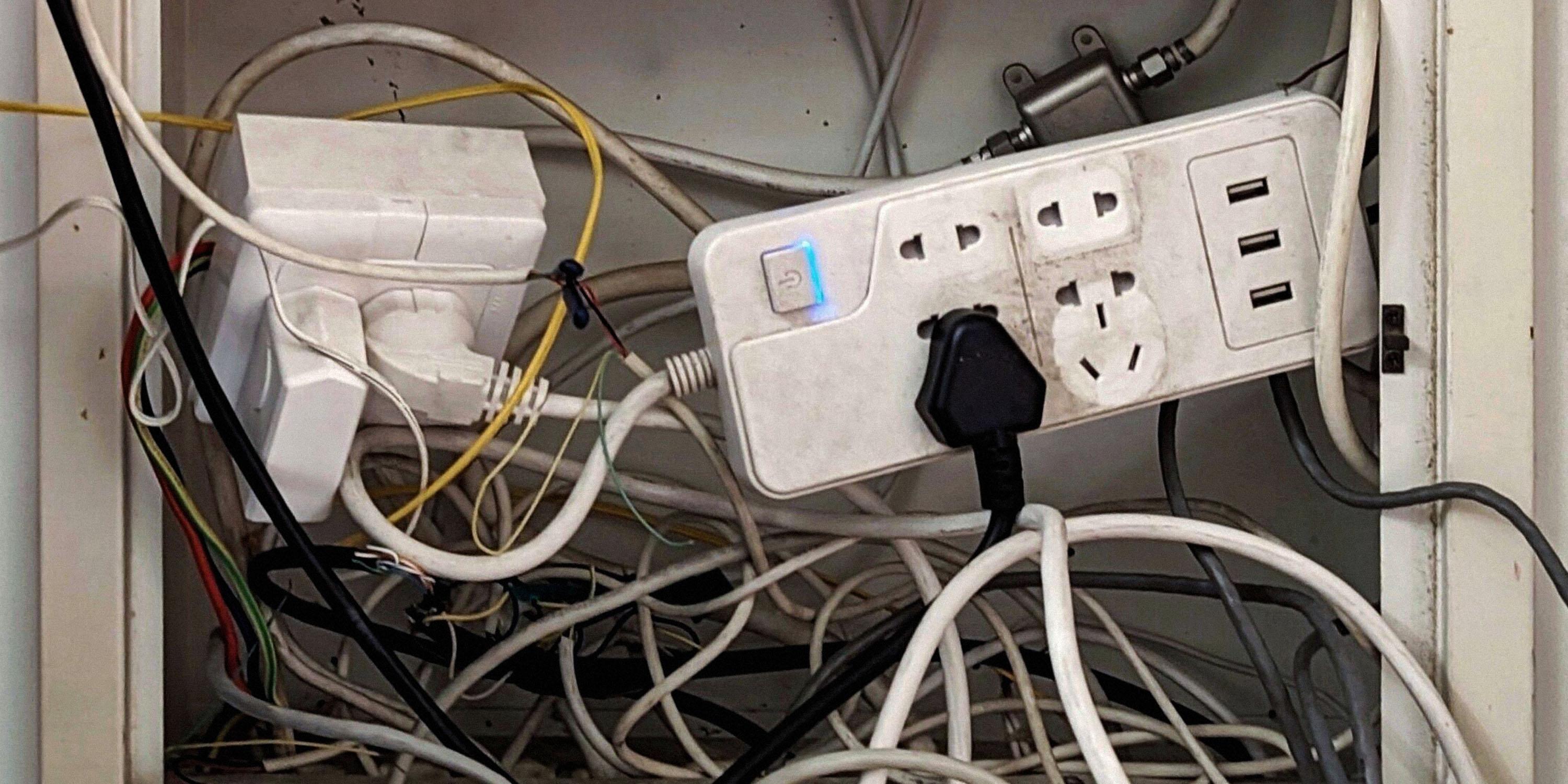
That was the very first version of my homelab back in April 2020 — chaotic and wild, but it worked! (...mostly)📡 Note: This is a live post. Changes and developments will be updated here as the lab evolves.# I. Overview
S271 (Sector 271) — a lab space where I experiment with servers, systems, automation, networking, and other stuff. The lab is a mix of homelab A setup of computers, servers, networking equipment, and other devices used at home for learning, testing, or running services. (Your own computer lab at home.) setups and cloud Computers and services provided over the internet instead of running everything on your own hardware. (You use someone else's computers remotely.) technologies — basically a place to try things, break things, and experiment along the way, with a focus on keeping things efficient, flexible, and future-proof.
The Lab (S271) series can be slightly more technical than the rest of the blog, but it's important to explore and understand how the systems and infrastructure behind the things we interact with every day actually work. Just as we explore the nature around us, the lab is a way to play with the increasingly digital world we live in and the technology we've come to rely on so much.
# II. Networking (Homelab)
The homelab connects to the internet through an ISP modem A device that connects you to your internet service provider's network. (It connects you to the internet.) , followed by the routers A network device that connects different networks and directs data between them. (It decides where network traffic should go.) and switches A network device that connects multiple devices on the same local network and forwards data between them. (It lets devices on the same network communicate with each other.) . Internal links are currently all 1 Gbps. Below are the network devices currently used in the homelab (not listed by network hierarchy):
-
Modem (ISP) -
Router (Edge/Core) -
Router (Experimental) -
Unmanaged Switch (Core) -
Unmanaged Switch (Access) -
Wireless Access Points
# III. Services (Homelab)
| Label | Hardware | Location | Services | Notes |
|---|---|---|---|---|
| #RPI-01 | Raspberry Pi 4 Model B (4C8G) | Homelab | DNS (AdGuard Home) [Repo]; |
- |
| #RPI-02 | Raspberry Pi 4 Model B (4C8G) | Homelab | Tunnel (cloudflared) [Repo];Container Management (Portainer) [Repo];Status Page (Uptime Kuma) (Legacy — the latest version has been moved to a
serverless
A cloud computing model where you run applications without managing the underlying servers yourself. (The cloud provider manages the servers for you.)
implementation here)[Repo]; |
- |
| #RPI-03 | Raspberry Pi 4 Model B (4C8G) + external HDD 🌱 | Homelab | Seedbox (qBittorrent) [Repo]; |
- |
| #BM-01 | Dell PowerEdge R730xd (Dual Intel Xeon E5-2680 v4 @ 2.40GHz) | Homelab | Reverse Proxy (NPM) [Repo];Media Server (Emby) [Repo]; |
- |
| #NAS-01 | NAS (Network-Attached Storage) | Homelab | Storage |
- |
# IV. Power & Energy (Homelab)
Tracking the power and energy usage of the homelab, including networking, servers, storage, and other equipment, along with the different power sources that keep the lab running.
| Device | Power (Average) |
|---|---|
| Raspberry Pi 4 Model B (4C8G) #RPI-01 | < 20 W |
| Raspberry Pi 4 Model B (4C8G) #RPI-02 | < 20 W |
| Raspberry Pi 4 Model B (4C8G) #RPI-03 🌱 | < 20 W |
| Dell PowerEdge R730xd (Dual Intel Xeon E5-2680 v4 @ 2.40GHz) #BM-01 | 100-200 W |
| NAS (Network-Attached Storage) #NAS-01 | < 60 W |
| Homelab Total | 200-350 W |
| Power Source | Role | Status | Notes |
|---|---|---|---|
| Utility Power | Primary | Active | The main electricity supply powering the homelab. |
| Solar Power | Supplementary | Planned | Currently being tested with selected devices, with plans to expand its use over time. |
| UPS | Backup | Standby | Provides temporary battery backup during power interruptions. |
# V. Services (Cloud)
| Instance | Location | Services | Provider | Notes |
|---|---|---|---|---|
| #I-C58 | US | Web Server | Cloud | Public websites and related services. |
| #I-X37 | EU | Seedbox |
Cloud | qBittorrent and related services. |
| Serverless | Global / Edge | Status Page |
Cloudflare | - |
| #I-Z03 | US | Experimental | Cloud | - |
# Sources & Notes:
Dell PowerEdge R730xd / Intel Xeon Processor E5-2680 v4 / Seagate Exos Enterprise Hard Drives / Raspberry Pi 4 Tech Specs / Cloudflare Docs: Serverless computing
⚠️ Note: External resources are provided for informational purposes only. Use caution when visiting or interacting with third-party websites.